Everything your screen needs, in one app
Flashbang Protection, Studio Features for calls and presentations, and the free tools you reach for every day.
Flashbang Protection
PROSoftens the brightness jump when you switch to a bright window, then eases back to normal.
Works with Dock clicks, Cmd+Tab, desktop switches, Mission Control and App Exposé.
See how it worksOne app for your whole screen
Brightness, color, capture and focus in one menu bar app. 8 free tools, with Pro on top.
Made for calls and presentations
Studio Features: Laser Pointer, Drawing, Flashlight, Keystroke Display and Invisible Notes.
Native and private
Built natively in Swift. Nothing about your screen or your usage leaves your Mac.
Flashbang Protection
PROSoftens the brightness jump when you switch to a bright window.
Switch from a dark app to a bright window and the screen can jump to full brightness all at once. Flashbang Protection softens that jump, then eases back to normal. It works when you switch apps with a Dock click or Cmd+Tab, switch desktops, or use Mission Control and App Exposé. Part of Pro.
Studio Features
Studio Mode is the master switch for the Studio features, for calls, presentations and recording. It is off every time you launch Phosphor. Turning on a Studio feature from its card turns Studio Mode on, and turning off the last one turns it off. Tool hotkeys only work while it is on. Pro.
Laser Pointer
PROGlowing dot that follows your cursor
Drawing
PRODraw on your screen
Flashlight
PRODim your surroundings, or brighten the area around your pointer
Keystroke Display
PROShows your shortcuts on screen
It needs Input Monitoring. Nothing you press is ever stored or logged. Full keyboard shows the keys you type outside password fields, plus mouse clicks and scrolling. It is visible in screen shares.
Invisible Notes
PROFloating notes for calls and presentations
A floating, translucent notes panel that appears when you turn it on and goes away when you turn it off or Studio Mode ends. Check what your audience sees before a live share, and don't use it for anything confidential. Your notes are saved in their own text file on this Mac and never sent anywhere. Keystroke Display ignores typing in it. Turning this on also turns Studio Mode on.
Ring Light
PROLights your face from the screen. Coming soon
Free tools
Free for everyone. No account needed.
Color Picker
FREEClick any pixel on screen to read its hex and RGB color values, plus an estimated brightness in nits.
Soft Screen
FREEAdds a fine static grayscale grain across every display without touching colors, at an intensity you control.
Focus Spotlight
FREEDraw a rectangle on screen and everything outside it dims, keeping your focus locked to one area without moving or closing anything.
Screenshots
FREECaptures the full display under your cursor and copies it to your clipboard as a PNG. Nothing is saved to disk.
Pro extra, Screenshot privacy sweep: Blurs faces and text that looks like an email address, a phone number or a password in your screenshots. It can miss some, so check the result before you share it.
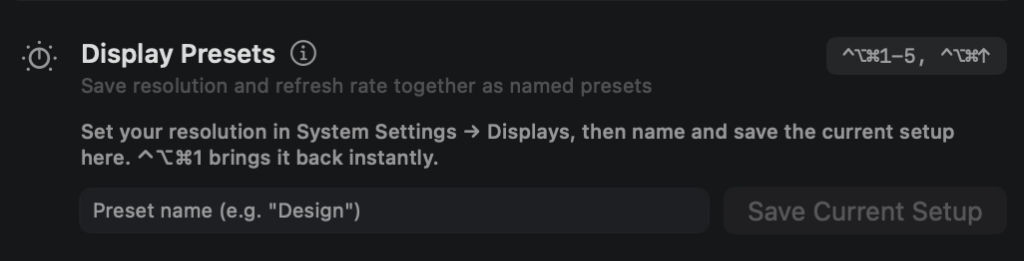

Display Presets
FREEJump to a saved resolution and refresh rate with a keyboard shortcut, instead of digging through System Settings each time.
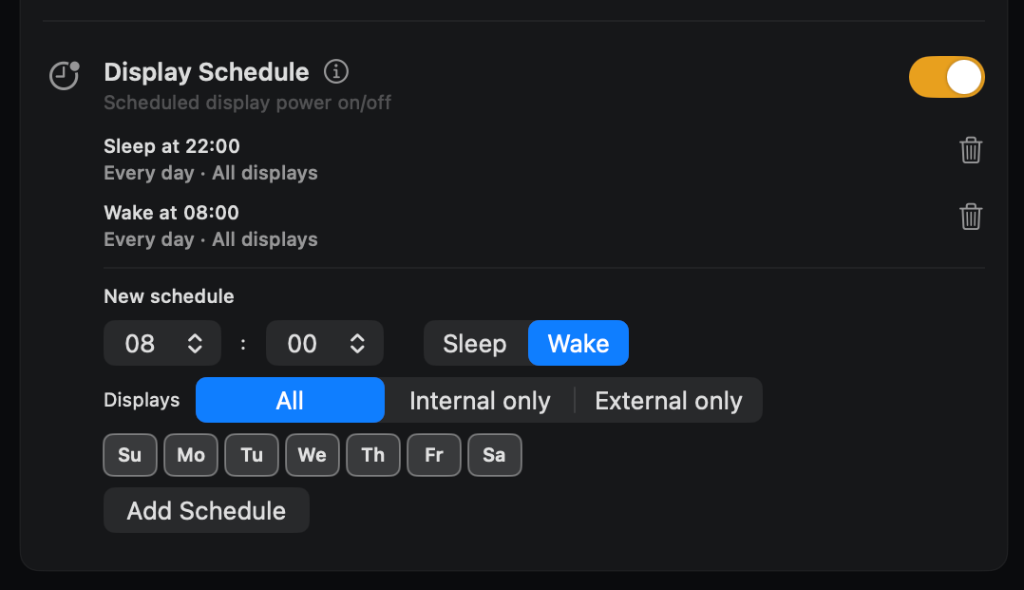
Display Schedule
FREEPuts your displays to sleep and wakes them at times you schedule, on the weekdays you choose.
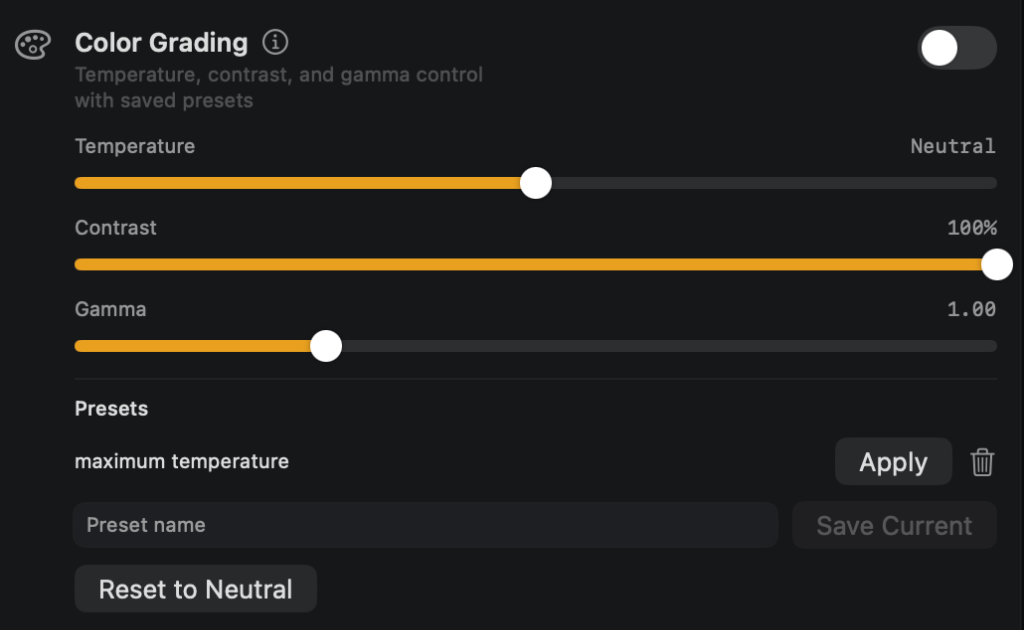
Color Grading
FREEAdjust color temperature, contrast and gamma in software, and save named presets to switch between them.
Display Health
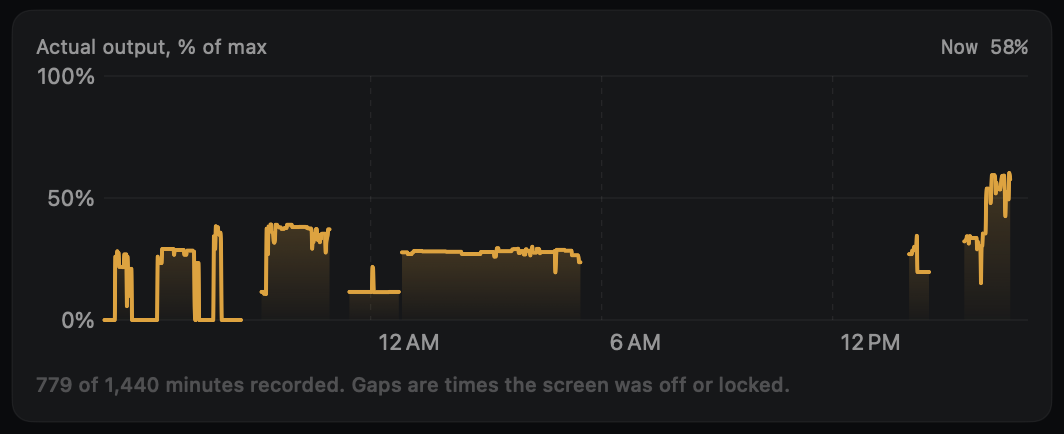
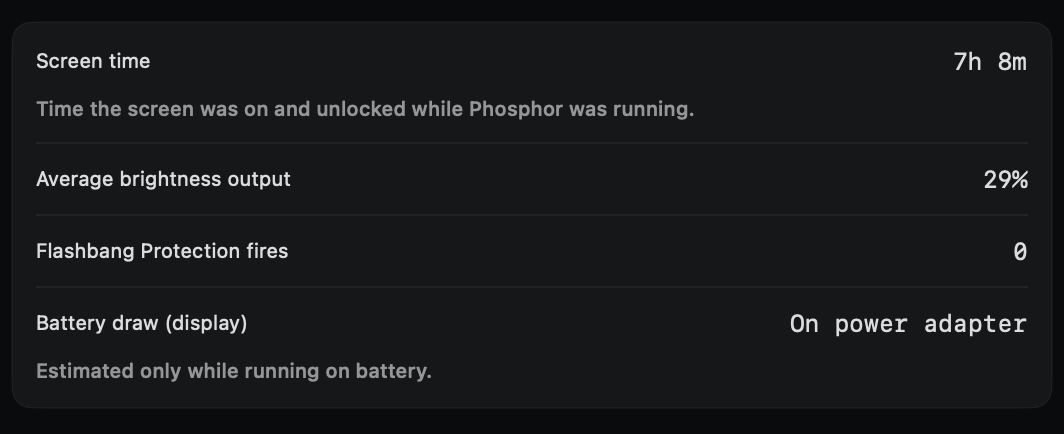
FREELogs your built-in display's brightness over time, screen time, and estimated battery draw from the screen.
Built from what people actually use
We keep the features people use every day and the ones they could not find elsewhere. Read our philosophy.
- No account
- One Mac per license
- Updates always ask first
- Logs and notes stay on your Mac
See the full list on Features, or what is coming on What's next.
Nothing about your screen or your usage leaves your Mac.
Your screen and your usage stay on your Mac. It is built with privacy at its core.
Built natively in Swift for macOS, not wrapped from a web app. Once a day Phosphor asks usephosphor.app whether a newer version exists. The request shows your IP address and the app version to our host. It only downloads an update if you accept it, and never installs anything without asking you first. You can turn the check off in Settings.
Nothing about your screen or your usage leaves this Mac. The only network requests are the Pro license check with Gumroad (if you have a Gumroad key: about once a day, and at least once every 7 days to keep Pro on), these update checks, and downloading an update you accept. The Buy button opens the Gumroad page in your browser. The app makes no request to it.
Want a feature that isn't here yet?
Tell us what your screen needs and we'll look at building it.
Contact Us$19.99
One time. Pro unlocks Flashbang Protection and Studio. The free tools stay free.
Free
Color Picker, Soft Screen, Focus Spotlight, Screenshots, Display Presets, Display Schedule, Color Grading, Display Health.
Pro
Everything in Free, plus Flashbang Protection and Studio Features: Laser Pointer, Drawing, Flashlight, Keystroke Display, Invisible Notes, and the Screenshot privacy sweep. Ring Light is coming soon.
One license works on one Mac. Future major upgrades may be offered at a reduced price to existing Pro owners.
Future upgrades are planned in good faith as part of active development. If a planned feature doesn't ship, this doesn't entitle you to a refund beyond the standard 14-day guarantee.